A vision for the future of splose AI

The clinician checks notes, instead of writing them.

In two years, the progress note drafts itself in the background, and the clinician spends their attention checking it, not writing it. Walk one clinician's day, try it in a working prototype, and see the thinking behind it.

the clinician checks notes, instead of writing them The presentation Watch on Loom · 20 min

The problem

Every clinician writes a progress note after almost every session, and it is the part of the day they dread. It is the clinical record of what happened in the appointment, and for most practitioners it is required, not optional. Funding bodies, the NDIS in particular, depend on it, and the next session builds on it. For someone who sees six or eight people a day, that is hours of admin, written from a blank page, from memory, often late at night.

We have strong AI adoption at the top of the funnel, and then practitioners leave. They try the AI note, never build the habit, and go back to typing. The reasons are structural, not cosmetic, so shipping another feature beside the ones that are not holding people will not fix it.

Why it does not stick: three structural blockers

1

Set-up before capture

Today you choose a patient, then an appointment, then a service, then a template, before a draft note exists and the recorder even appears. Recording, the thing you actually want to do in the room, is the last step.

2

A blank box

The main AI surface is a free-form chat box. To get something useful you have to already know what to ask. The people who most need help, the ones not confident writing prompts, get the least.

3

Two systems

Saved AI prompts live in one place and note templates in another, with a further library of AI blocks beside them. There is too much crossover, and it is confusing.

These three live in how the screens are shaped. That is why the answer is to rethink the surfaces.

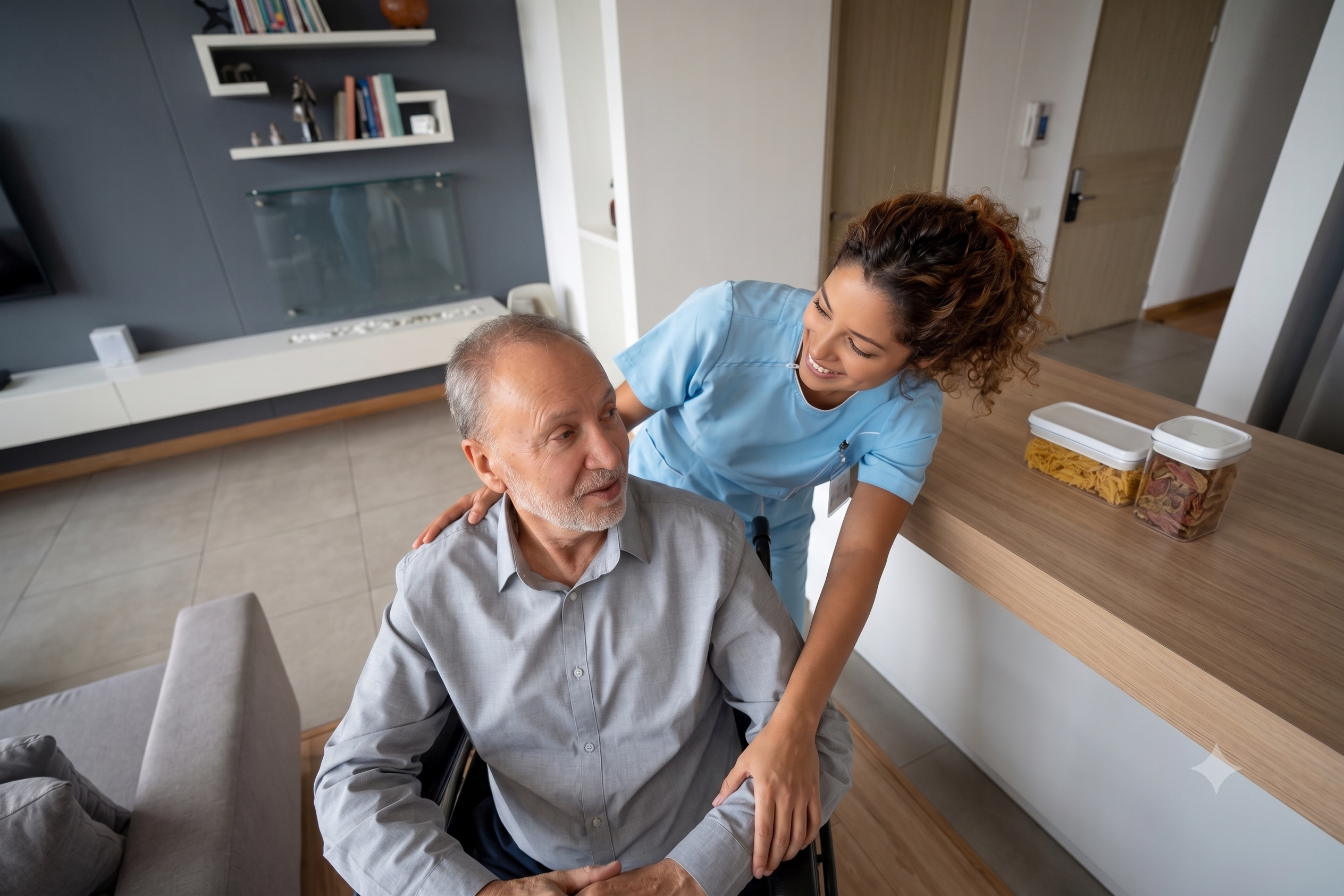
Helen Angelou, mobile occupational therapist, with a client at home

Meet the practitioner

Meet Helen

Helen Angelou runs Hestia Home Health on her own. She is a mobile occupational therapist who visits clients in their homes across Adelaide. She does the clinical work and runs the business at the same time, so her time is the entire constraint. She does not have time to set up elaborate templates, write prompts, or type notes from scratch.

After every visit she has to write a progress note, at night, from a blank page, after her own kids are in bed. That is her second shift, and it is the reason clinicians like her, running small practices single-handed, burn out. She is exactly who churns when that tax stays high, and exactly who the business most wants to keep.
What had to change underneath

The prototype deliberately does not look like splose today. To sell this as a genuine future, it shows a polished version of where we could get to, on a base that can keep growing. A few foundations had to shift first.

Room to grow: a left navigation

A top bar cannot scale as the product adds more. The left rail frees the screen and gives key actions a permanent home. Visual, labelled icon buttons reduce the "panel fatigue" of a typical left-panel navigation.

A Create button, available everywhere

Start a capture, a note, an appointment or a task in one click, from any screen. One hover or click away at all times.

Ask AI and search from anywhere

The assistant and the record are always within reach, not buried.

A dashboard framed on today

The day's schedule and tasks lead, with everything else reachable in a panel as you work.

Entity items and panels

Any patient, contact or practitioner appears as a small avatar and name. Hover to preview, click to open a panel that pushes the page aside rather than covering it, expand to a full page. Reference at the point of care, without losing your place.

Tasks

A real home for follow-ups. Some are automatic, some are AI-suggested, and finalising a note closes the review task waiting on it.

A new idea: the capture

Plain transcription on its own is not enough. A good note often needs more than what was said out loud: a line of clinical detail you would rather not voice in the room, a photo of a front step or a wound, a file. So instead of just transcribing, the product introduces a capture: a multimodal bundle of context, quick to gather, that the AI turns into the documents.

Capturerecord, type, photo, file
Generatedrafts in the background
Reviewcheck, do not write

The new shape of work is three steps: capture, generate, review. One capture in, and the records draft themselves out: not just the note, but the invoice, a summary email, and suggested tasks. The clinician checks the drafts rather than writing them.

Note Invoice Email Tasks

Richer templates

For the AI to draft a whole note reliably, the template had to get smarter too. A progress note template gets a top-level AI instruction, which could be the entire template, but also gets more prescriptive settings, like writing tone or length, as well as a more complex section-building system. That collapses the old split between a separate prompt library and a template library into one system to learn, not three.

Walk Helen's Monday

How to try it as you read. The prototype is best on a laptop or desktop. There is a Reset button in the bottom-left corner. The AI is simulated, so it responds the same way every time. Take each step below in order, and try it yourself as you go.
Step 1 · 8:00am, Priya

It is already done

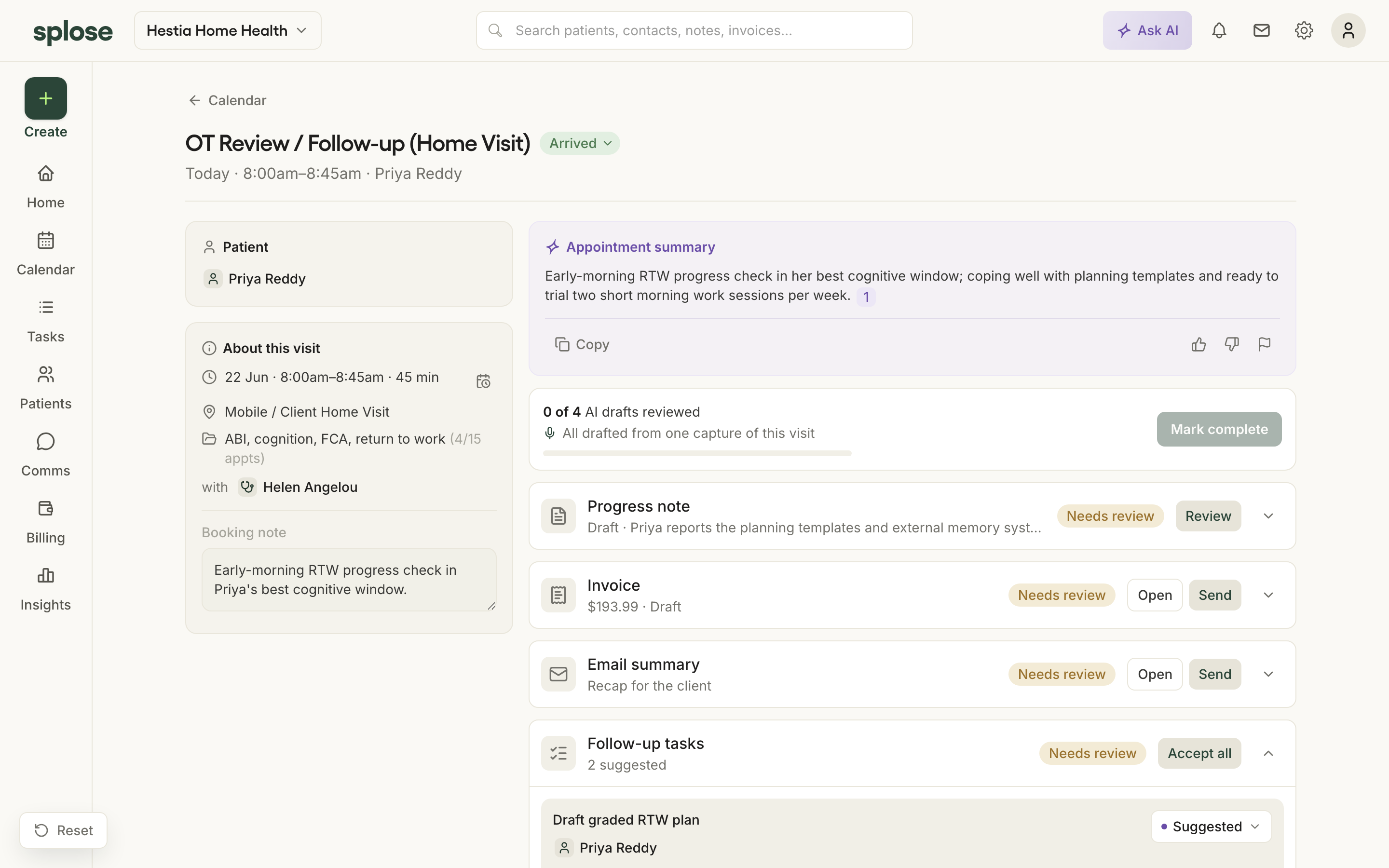
Before Helen has done anything, her eight o'clock with Priya already has a finished draft note waiting, captured this morning and drafted in the background. And not just the note: one capture has produced the invoice, a short email summary, and a couple of follow-up tasks.

Why it's designed this way

The output is a bundle, not just a transcript, because splose owns the system of record. A standalone scribe cannot do that.

my-vision-1xv.pages.dev/appointments/A10-Appt4 Open in the prototype
Step 2 · 9:30am, Walter

Capture first, link later

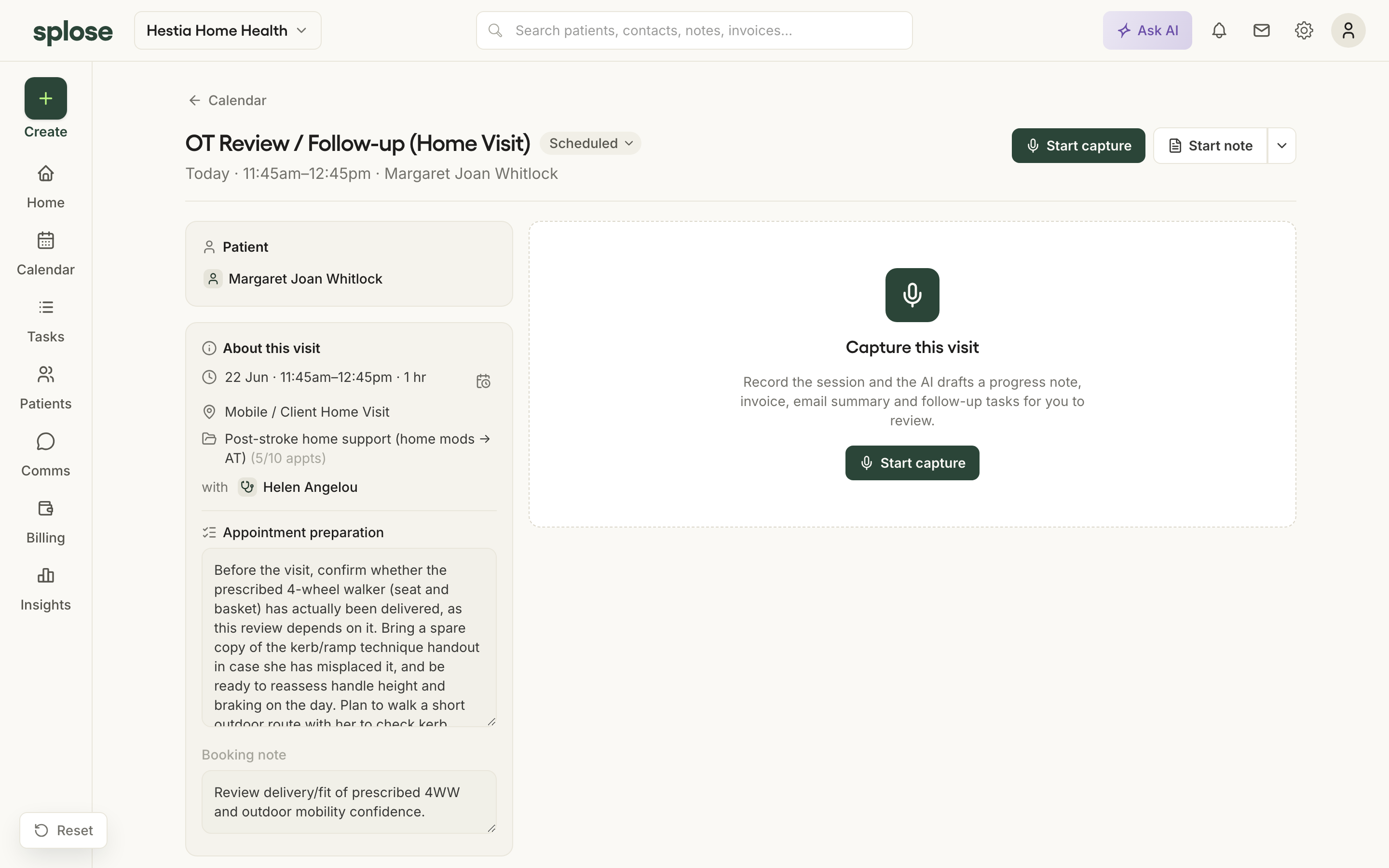
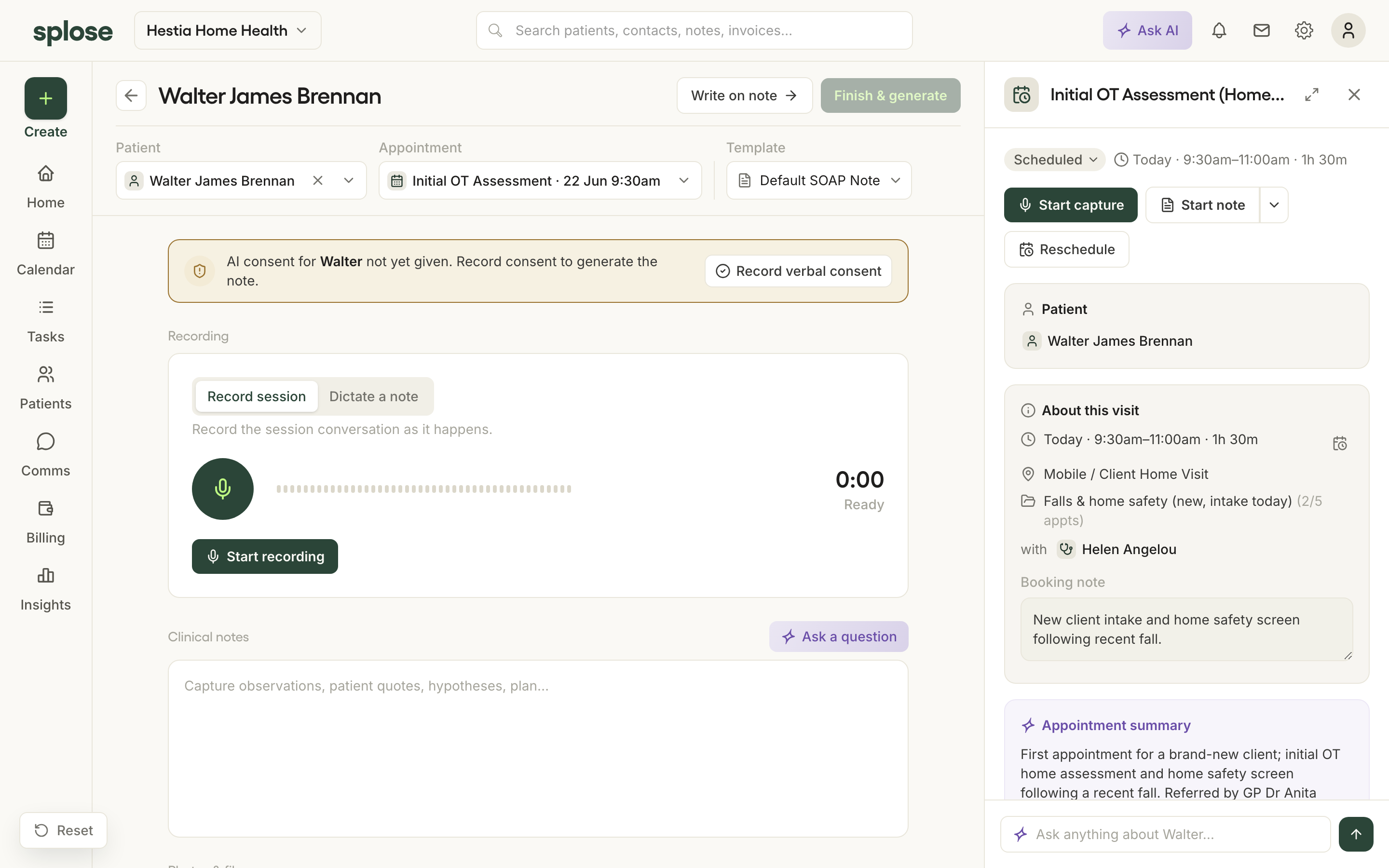
Helen is late, and Walter is new with no history. She does not set anything up. From the Create menu she just hits record. The app notices the time and offers to link this to Walter's 9:30; she taps once to confirm. It flags that Walter has not given AI consent yet, so she records his verbal consent before generating. She adds a photo and a couple of typed notes while they talk.

What to notice: two clicks to start recording, not thirteen. If she walks to another screen, the recording keeps going, docked.

my-vision-1xv.pages.dev/capture Open in the prototype
Step 3 · 11:45am, Margaret

The catch-me-up is already there

Margaret is a regular. When Helen opens the appointment, a short summary of Margaret's last few visits is already there, assembled from her history, without Helen asking. She starts the capture from inside the appointment, already linked.

What to notice: the preparation is done before she asks. Generated, not prompted.

my-vision-1xv.pages.dev/appointments/A1-Appt5 Open in the prototype
Step 4 · The evening

A pile of drafts to check

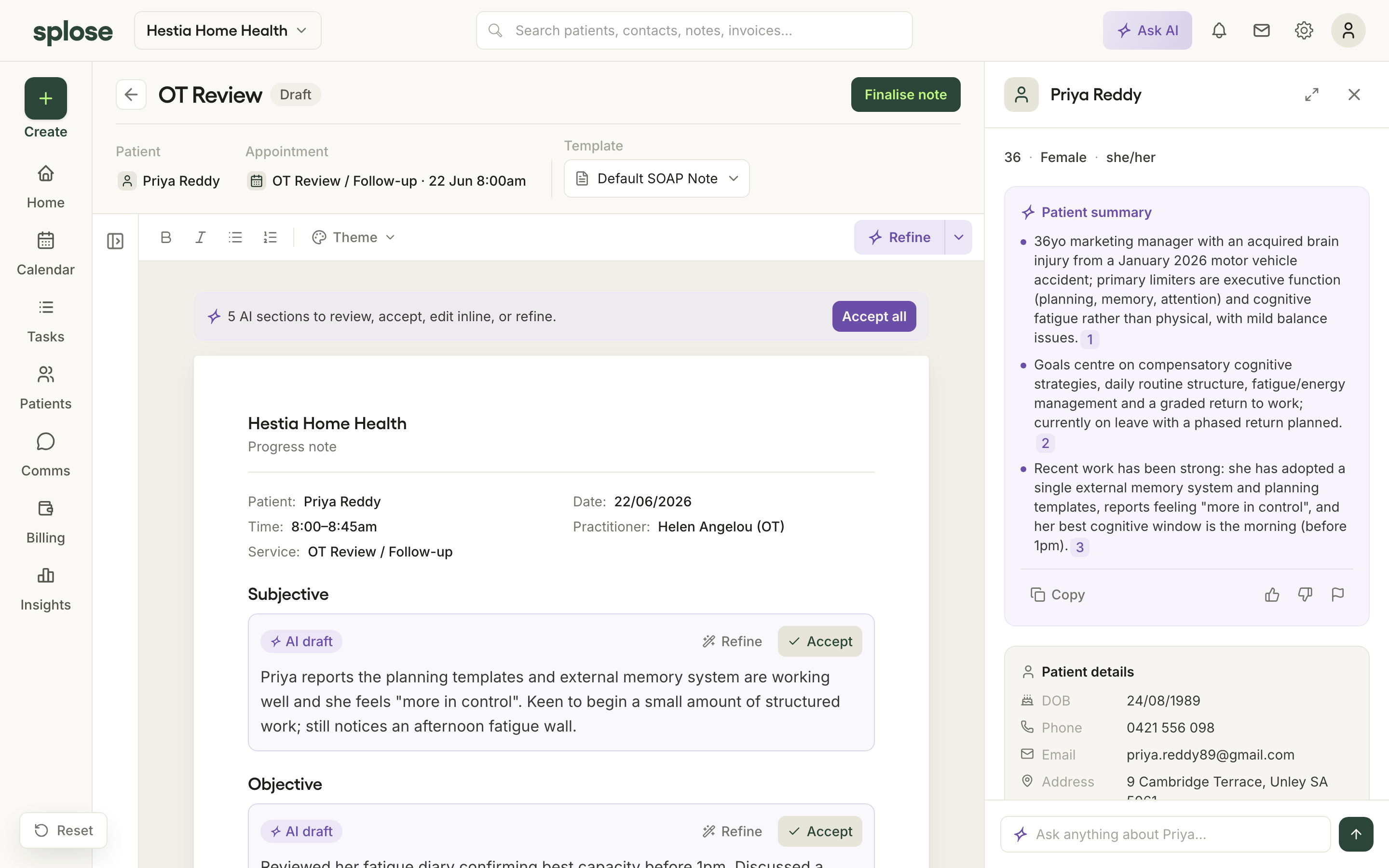
Every note from the day is drafted. Helen reads each one section by section and accepts it, or highlights a line and asks for it again. The actions she takes most often, tone, length, a quick refine, are clear buttons. On one note she switches the tone to friendly and watches it rewrite in her own voice. She adds the one thing only she would know, and finalises. Finalising also closes the task waiting on the note.

Why it's designed this way

The AI drafts, the human decides. Nothing is finalised silently, so the clinician stays the author of the note. That is what keeps it safe in a clinical setting.

my-vision-1xv.pages.dev/notes/PN-A10-4 Open in the prototype

Same day, two worlds

Helen's old evening

A pile of blank notes: set up each one, then type it from memory after the kids were in bed, wrangling a chat box to get what she needed.

Helen's new evening

A pile of drafts to check, and she checked most of them in the few minutes after each visit. Ideally she does not even have them when she gets home. Minutes, in her own voice.

See it presented

Prefer to watch? Here is the full presentation, about 20 minutes, in my own words, with the live demo.

Watch the presentation
give Helen her evenings back 20 min

The ask, and the honest part

The ask is small on purpose: react to this. There is a lot here, and a lot of change suggested, but I think it is a good way to get us aligned towards one future vision. Tell me where it lands and where it does not, so we shape that picture together.

To be straight with you: this is a vision and a working prototype, not a shippable product. We're not shipping this anytime soon; this is a north star to aim for and to get shared feedback on. The AI in the prototype is simulated, deliberately, so it is identical every time and invents nothing during a demo. It was built by one designer on the research we already had.

Tell me what you think.

This vision gets sharper with your reaction. Leave a comment on the Loom, or send me a message on Slack. As much or as little as you like.

Where to next